Get in touch and ask to join
Last updated:
Send a message
Look for Get in touch on a member, place or project page.
- Log in (you'll be asked to if you aren't).
- Write a short hello: who you are, what you'd love to help with, and when you're free.
- Choose Send message.
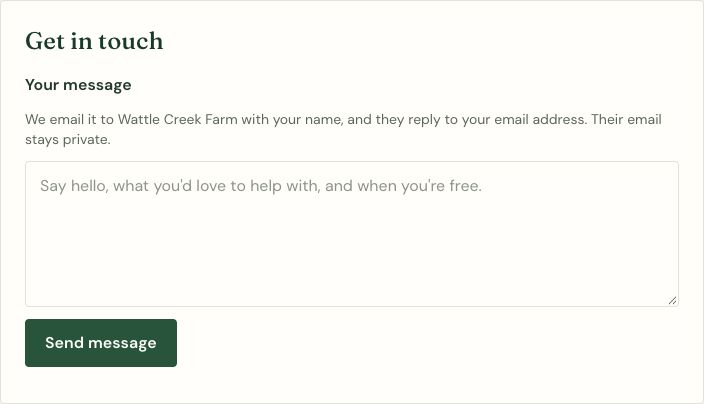
Your message goes to them by email. Their email address is never shown to you. They can reply straight to your email, so they'll see your address when you write to them, and you'll see theirs if they reply.
A few things to know:
- You need to have confirmed your email first (see Getting started).
- You can send up to 5 messages an hour, to keep spam down.
- Example pages can't receive messages.
- If someone has blocked you, your message won't go through.
Connect with a member
- Log in and confirm your email if you haven't yet.
- Find the member in People and open their profile.
- Choose Connect with followed by their name. The member gets an email, and the request shows in their Messages and requests, where they can accept or decline it.
If someone sends you a request, follow the link in the request email or open Messages and requests on Me. Under Connection requests, choose Accept or Decline. Accepted members appear under Your connections.
Connection requests are answered on Regenerative Link. Replies to messages you send through Get in touch go by email.
Ask to join a place or project
If you'd like to be part of a place or project, not just send a message:
- On its page, choose Ask to join.
- Add a note about who you are and how you'd like to be involved (optional, but it helps).
- Send it. The owners get an email.
You'll see "You've asked to join. Waiting for an owner to answer." When an owner approves, you're shown as a member. Members are part of it but can't change the page. If you're not accepted this time, you can ask again later.
If you run a place or project
Requests show up on your page's Edit page under Asked to join. Choose Approve or Decline. Approved people are listed as members.
Changes to this page
· v1.2
Explained how to send and accept connection requests
· v1.1
Added the last updated date and change history
· v1.0
First version